For the current BusAlarm app · Checked 5 November 2026
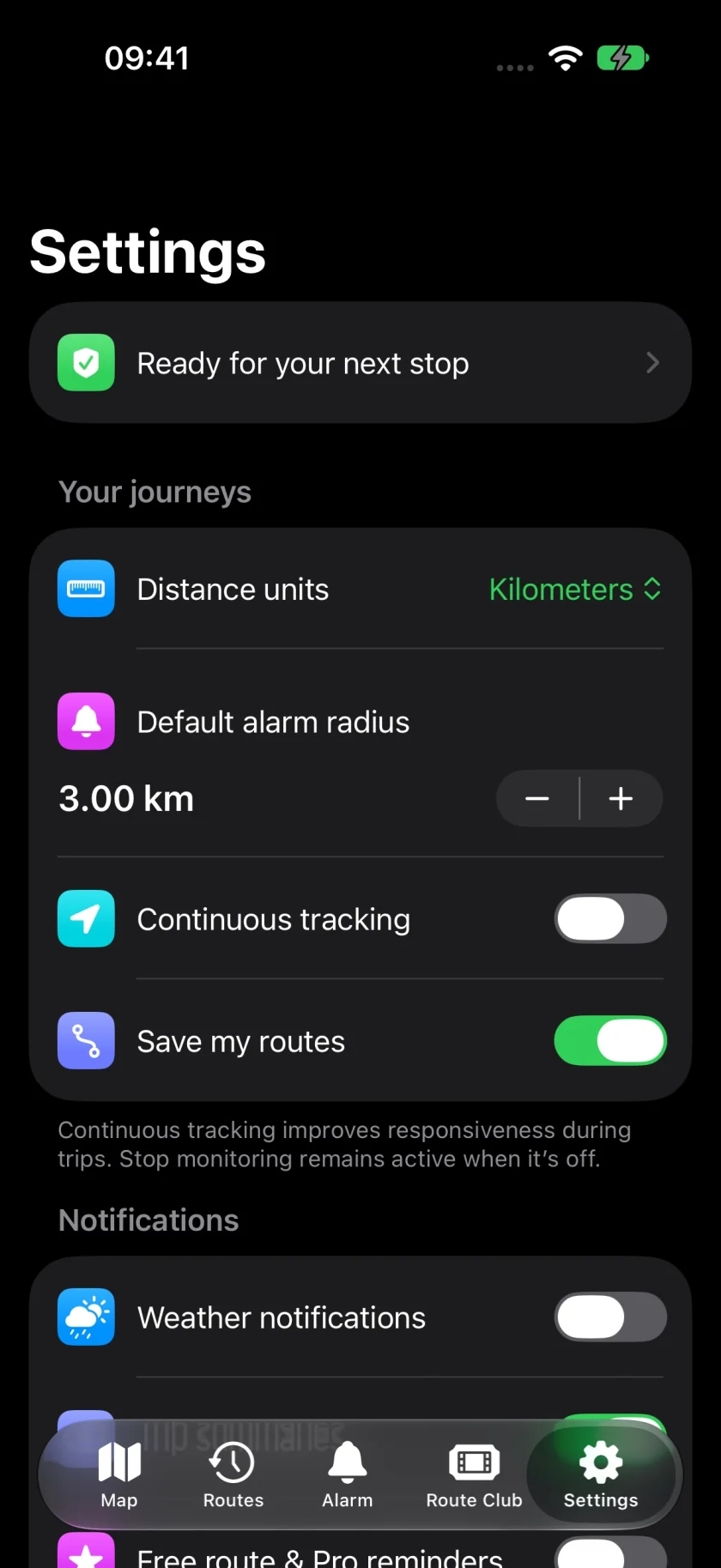
Turn on route saving before travelling
BusAlarm can keep completed alarm journeys on your iPhone, including the recorded route points, date, distance and journey name. There is no BusAlarm account to sign in to. Saving a route is separate from setting the destination alarm.
- Open the Settings tab.
- Under Your journeys, turn on Save my routes.
- Choose Distance units: Kilometers or Miles. This also changes distance and speed formatting in saved-journey details.
- Complete an alarm journey, then open the Routes tab. Its screen title is Journeys.
Read a saved journey
The Journeys screen shows the number of currently saved journeys and their combined distance. Recent Journeys lists your saved entries. Tap one to open its Journey detail screen. These list totals describe the routes you still keep; Route Club has separate lifetime credited progress.
- The map draws the recorded route and marks Start and Finish when those points are available.
- Distance, Duration and Avg speed use the saved data. Duration comes from the first and last recorded timestamps; a missing or unusable duration is shown as a dash.
- Journey Timeline shows Started and Alarm journey ended. This is the recorded alarm journey, rather than an operator’s timetable.
- Open Finish in Maps opens the final recorded location in Apple Maps. It may differ from the destination pin if recording ended elsewhere.
Make space or remove a journey
The free app keeps up to ten saved routes at a time. The screen shows your remaining free spaces and an Upgrade to Pro button. Pro removes this saved-route limit with a one-time purchase.
- Keep Save my routes enabled while making deletions so the changed list is saved.
- Open Routes, then tap Edit or use the available swipe-to-delete action on a journey.
- Delete the entries you no longer want. A free route space becomes available for a future saved journey.
If a route is missing or looks incomplete
- Check Save my routes first, including if the Routes tab has disappeared.
- Check whether the ten-route free limit was reached. A completed journey cannot be added when there is no free space.
- Recorded points depend on the location information available during the trip. Poor reception or restricted location access can leave a sparse route or unavailable timing metrics.
- Restoring a Pro purchase restores the entitlement, not a lost route database. Saved journeys depend on the data and backups on your devices.
More for your journey
Something still unclear? Contact BusAlarm support.